

Access Your Money
New Frontier Bank offers MasterCard® debit cards to allow you to conveniently access your money when you need it. Whether you’re looking to make a purchase in person or online, or access your accounts at an ATM, you can easily do it with your debit card. We'll print your debit card directly from our office so whether you're opening a new account or replacing your card, you'll get it right away. Contact our offices to learn more about how you can get a New Frontier Bank debit card.
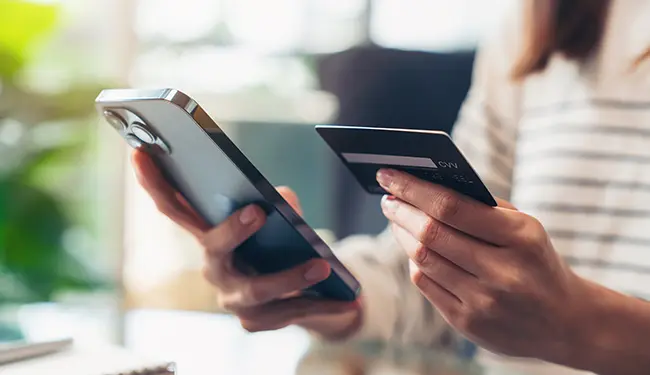
Lost or Stolen Debit Card
Call (636) 940-8740 if your card is lost or stolen. You can also turn off your card and report your card as lost/stolen via the Manage Card feature in Mobile Banking.
Mobile Wallet
You don’t need to take your debit card with you to be able to make purchases. If your phone or mobile device has a mobile wallet, you can add your debit card and use your card at contactless pay terminals or check out quicker on supported websites. Our debit cards are compatible with:



*Apple is a trademark of Apple Inc., registered in the U.S. and other countries. Apple Pay is a trademark of Apple Inc. Samsung and Samsung Pay are trademarks or registered trademarks of Samsung Electronics Co., Ltd. Samsung Pay is available on select Samsung devices. Google Pay is a trademark of Google, LLC. Mastercard is a registered trademark of Mastercard International Incorporated. Product and company names may be trademarks or registered trademarks of their respective owners. Mobile Internet data charges may apply as well as text messaging charges.
Debit Card Management
Manage your New Frontier Bank Debit Card digitally through the New Frontier Mobile Banking App. Using the Manage Cards feature in the Main Menu allows you to add your debit cards and then manage features and functionality such as:
- Setting spending alerts
- Temporarily increasing your spending limit to make larger purchases
- Change your PIN
- Report your card lost or stolen
- Add a travel notifications
- Turn your card on/off, impacting only future purchases while allowing for recurring payments previously set up to process
Reset Your Debit Card Pin
If you know your existing PIN, you can reset your Debit/ATM Card PIN at any New Frontier Bank ATM. Just insert your card and follow the prompts on the screen.
If you have forgotten your PIN, you will need to call or stop by any New Fontier Bank branch and get a temporary PIN, which you can then change to something you will remember.
You can also reset your PIN via the Manage Card feature in Mobile Banking.
MoneyPass® ATM Network
MasterCard® debit cards can be used at thousands of retailers and ATMs across the nation and the world. You can use any MoneyPass® ATM without being charged a fee for the transaction.

Simply find the MoneyPass® ATM nearest you here.